How to Calibrate Your Monitoring System

The monitoring room significantly affects sound quality. Its walls, ceiling and floor – and any large objects in the room, like mixing consoles, tables, equipment racks and furniture – reflect audio, causing changes to the sound and imaging. Acoustic calibration minimises room influences, retrieves a flat and neutral frequency response and enhances the precision of imaging.
To measure the room response, place the measurement microphone at ear height in the listening position (typical height 1.2 to 1.4 m). Ensure that monitors are at their intended locations. We recommend each monitor be at an equal distance from the listening position. Take a frequency response measurement. Adjust the tone control DIP switches to retrieve the same flat frequency response for all monitors. For level calibration, first set the rotary input sensitivity control on all monitors fully clockwise. Then, adjust each level control so that all monitors produce the same sound level at the listening position. SAM Monitoring systems can align level and time of flight automatically.
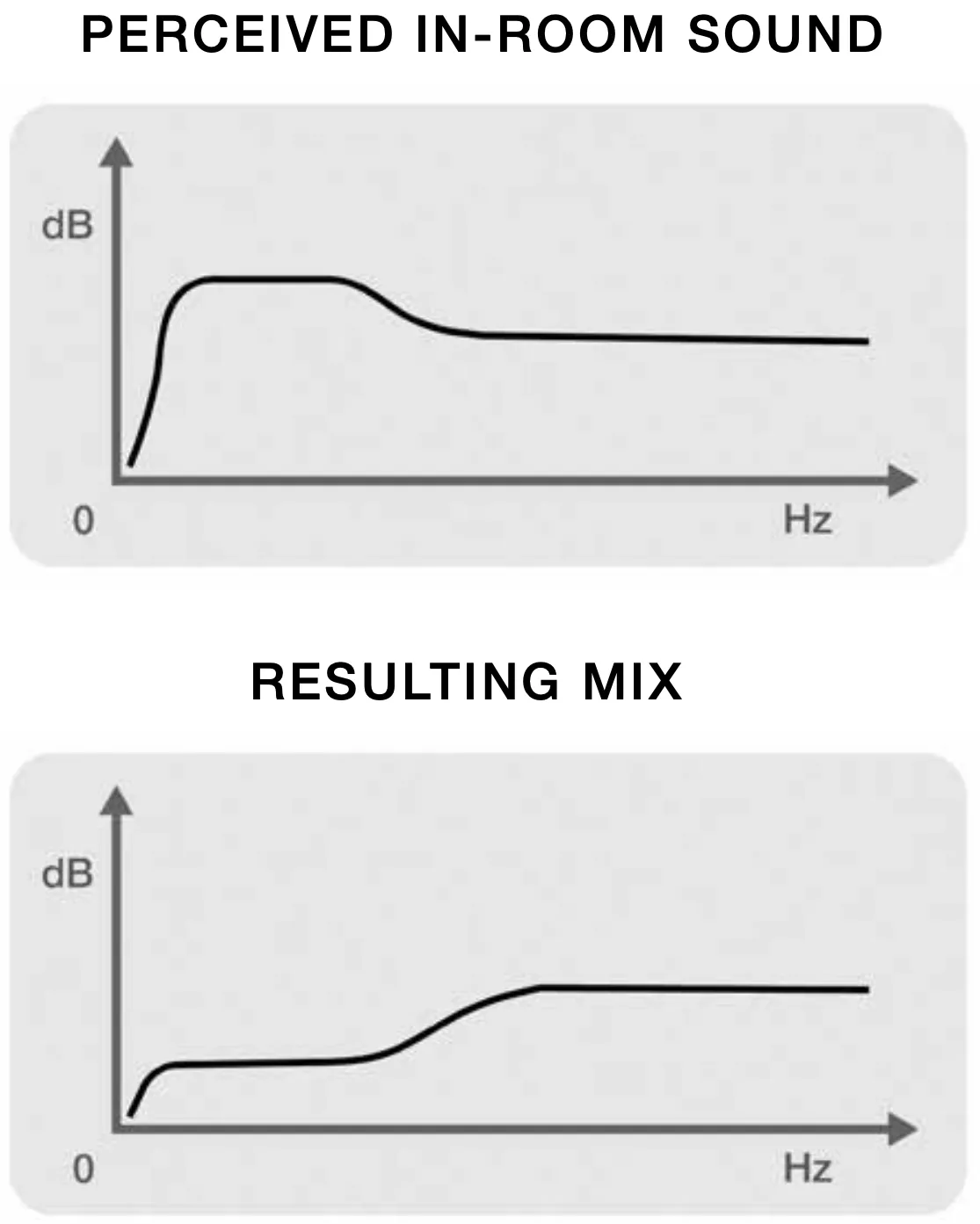
Monitoring with excessive bass level may result in a lack of bass in the final mix.
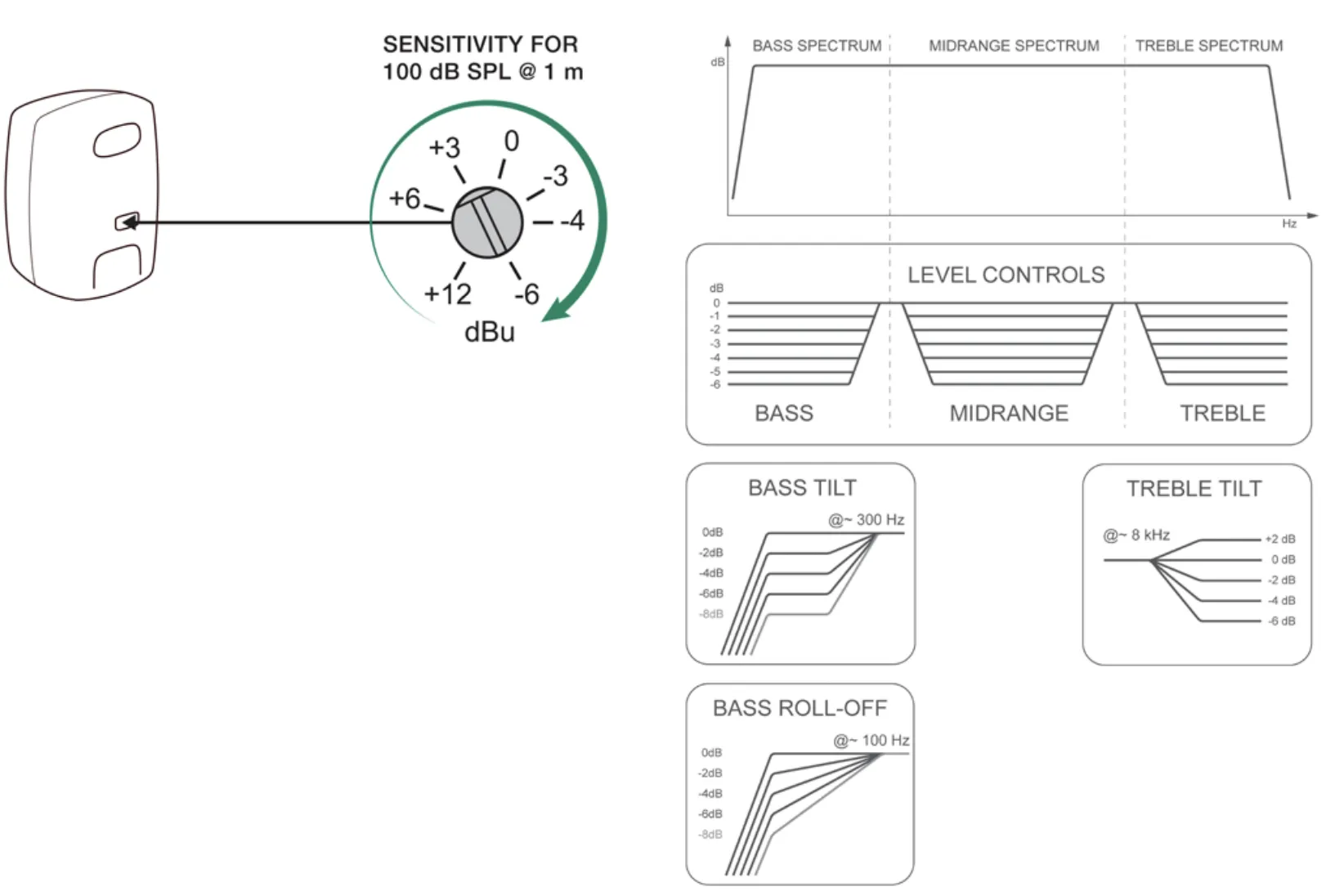 The diagrams above show the effect of different DIP switch options. For more details refer to operating manuals.
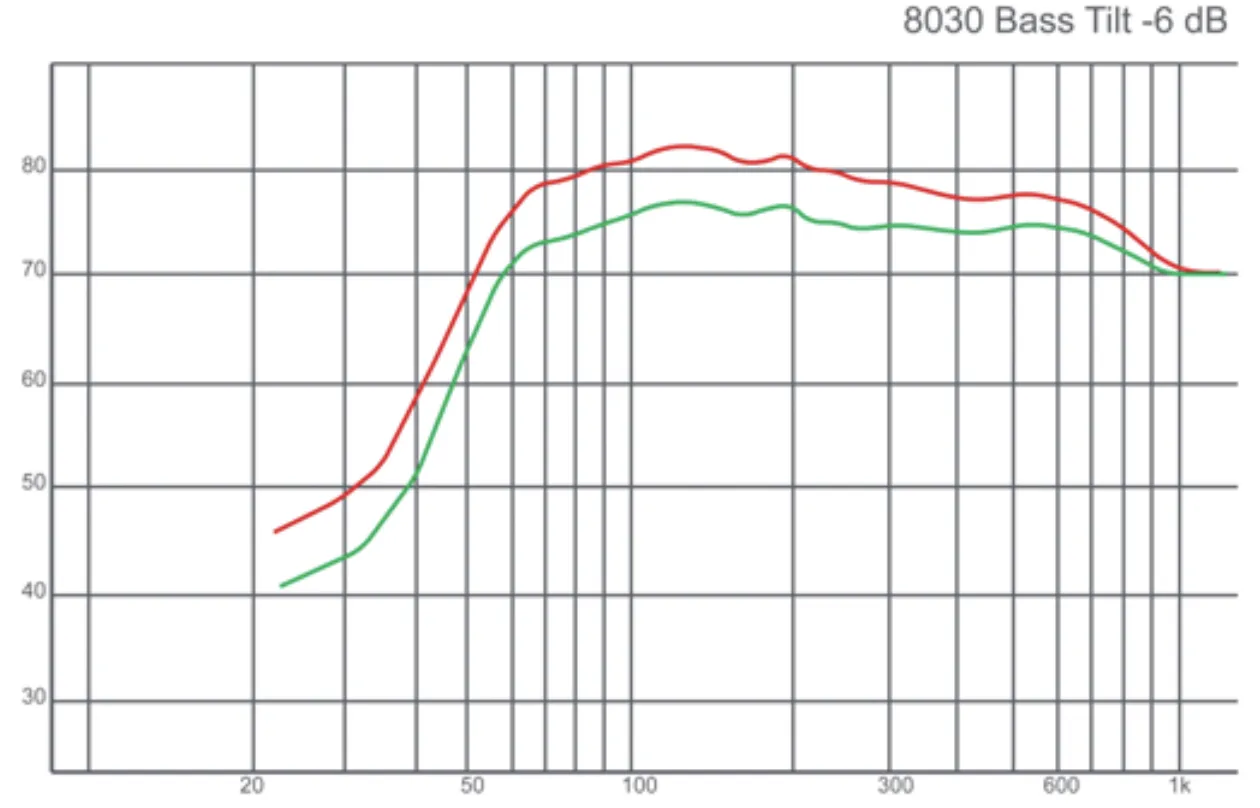 Measured in-room response with and without the bass tilt.
Bass tilt control
In this example, the bass tilt control is used to compensate for a low frequency boost caused by a monitor being close to a wall.
Why Two-Way Monitors Should Be Vertical
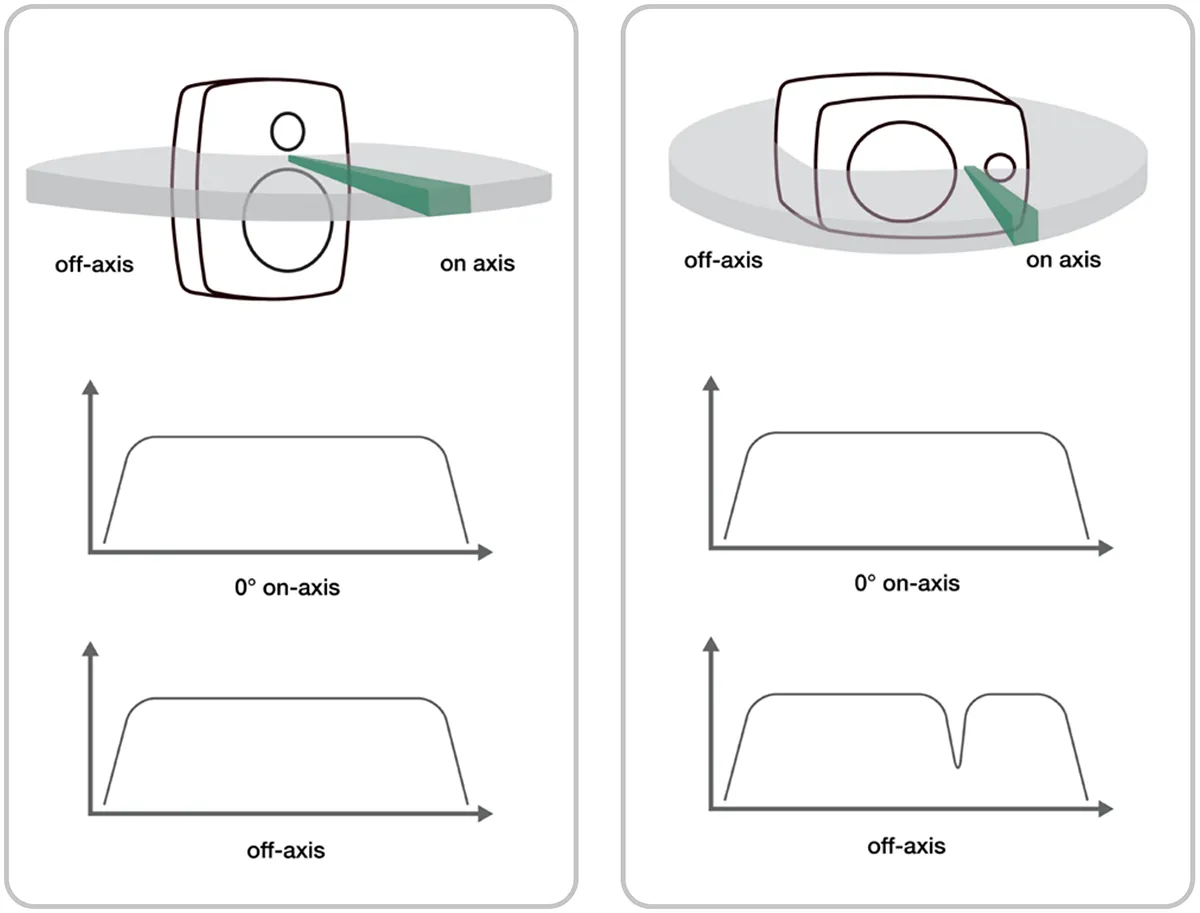
We recommend two-way monitors be positioned vertically. Horizontal positioning will cause a loss of sound level close to the monitor crossover frequency when the listener moves sideways from the acoustical axis. The notch in response will shift depending on the listening position.
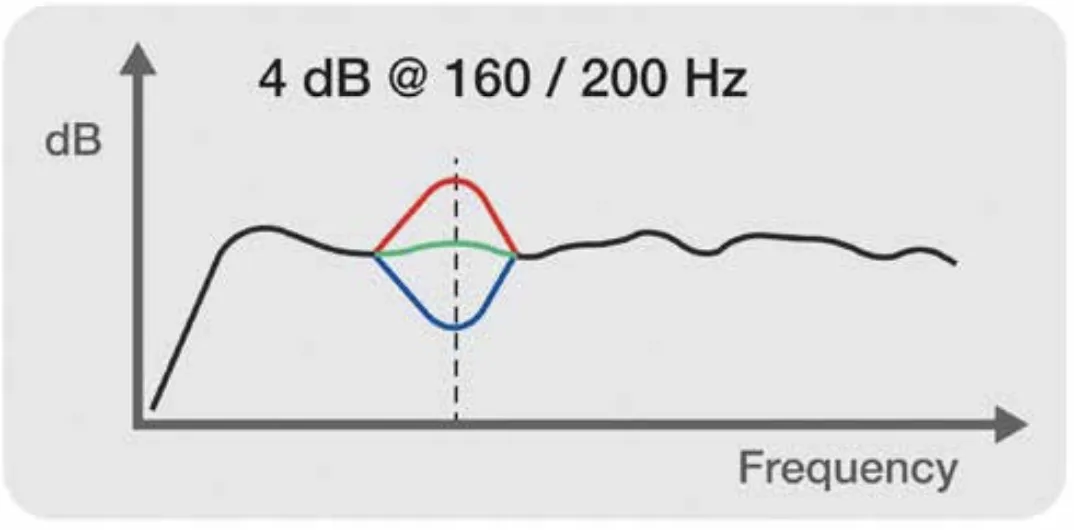
Managing Desk Reflections
A table or mixing console in front of monitors may boost level at around 160-200 Hz. Certain Genelec monitors offer a desktop control DIP switch to compensate for this. With SAM Monitoring systems, GLM AutoCal compensates for this effect automatically. Table stands to lift the monitors above the surface also help.
Smart Active Monitoring (SAM™) system calibration
SAM Monitoring systems enable highly accurate monitoring and truthful audio reproduction in any room. All Genelec services, including GLM software needed for system calibration, are available on MyGenelec.
Genelec Loudspeaker Manager (GLM) software configures SAM Monitors and Subwoofers. Automatic calibration (AutoCal) in GLM adapts monitors to the room so they sound neutral and have the same level and delay at the listening position. This minimises colouration, makes acoustic images accurate and improves the sound stage, enabling the creation of mixes that translate consistently
across rooms and reproduction systems.
While GLM AutoCal very quickly makes stereo systems accurate, it has even greater importance for immersive monitoring layouts. This is because it can calibrate high channel count monitoring systems reliably and precisely in just a few minutes – and because it supports subwoofers and multimicrophone position calibrations.
Read more on GLM ›
GRADE Room Acoustic Report
GLM’s GRADE (Genelec Room Acoustic Data Evaluation) Report is the software’s advanced acoustic analysis service showing every detail of the room acoustics after monitoring system calibration. GRADE Reports provide full details of the listening room frequency response, time of flight for audio, acoustic reflections in room and room reverberation. The report provides insights for improving acoustic treatment, system placement and optimisation, offering real data to help achieve the best possible monitoring accuracy. GRADE is especially beneficial for addressing complex acoustics in untreated or challenging rooms, helping to ensure monitoring rooms align with professional audio standards.
Read more on GRADE ›


